Querying
The request as text at the top, the builder below it, the result at the bottom. What you change in the builder shows up in the request at once – and the other way round. The query only reads: it sends GET requests only.
- Options
- $select, $expand, $filter, $orderby, $top, $skip, $count, $search
- Result
- table, JSON, Fiori
- Code
- UI5, CAP (cds.ql), fetch, cURL, URL
- Method
- GET only
The builder
- In the Query tab, choose the Entity set.
- Choose the columns under Fields ($select) and the neighbours under Navigations ($expand) – several levels deep and with their own fields.
- Under Filter ($filter), use Add condition to set field, operator and value. The operators fit the type: comparisons for numbers and dates, “contains”, “starts with” and “ends with” for text.
- Set Sort ($orderby), Paging and Total count as needed, then Run.
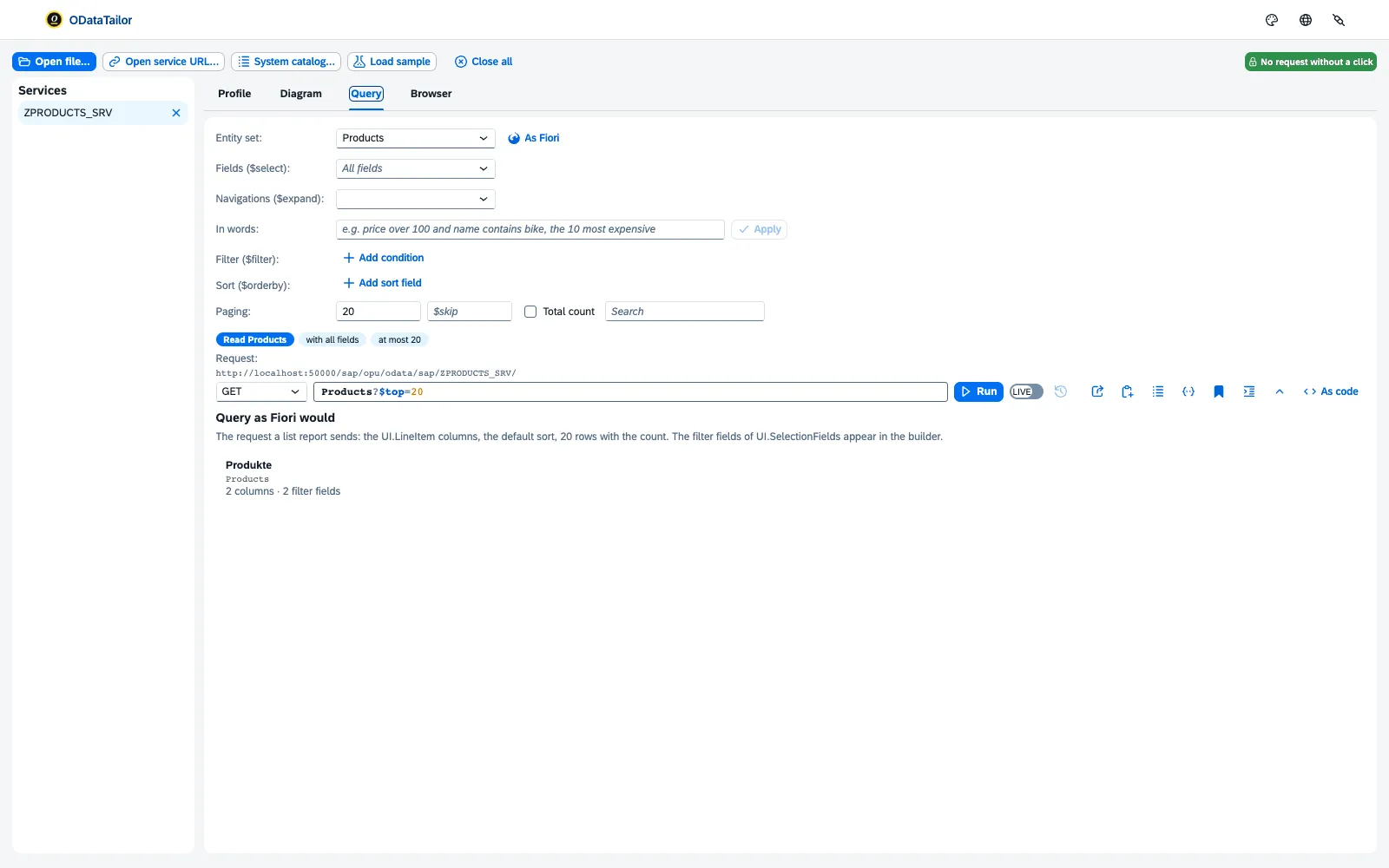
If you prefer to type the request yourself, the workbench checks it against the metadata: “The service does not know “Name” here”, plus a suggestion such as “Did you mean ProductName?”. Below the request, one sentence says what it does – for example “Read Products with Name and Price, where Price ≥ 100, sorted by Price, at most 20”.
The result
The result view switches between Table, JSON and Fiori. In the table:
- A click on a cell offers “Only … = …”, “Without …”, “≥” and “≤” – the filter goes into the request.
- A column header shows its profile: how many different values, how many empty, from when to when – and “Filter on …”.
- Load more fetches the next page. Download saves the table as CSV for Excel – with every row, even when only the first are shown.
- Answer details shows status, duration, size and headers. Compare sets the result against the previous run: new, changed, gone.
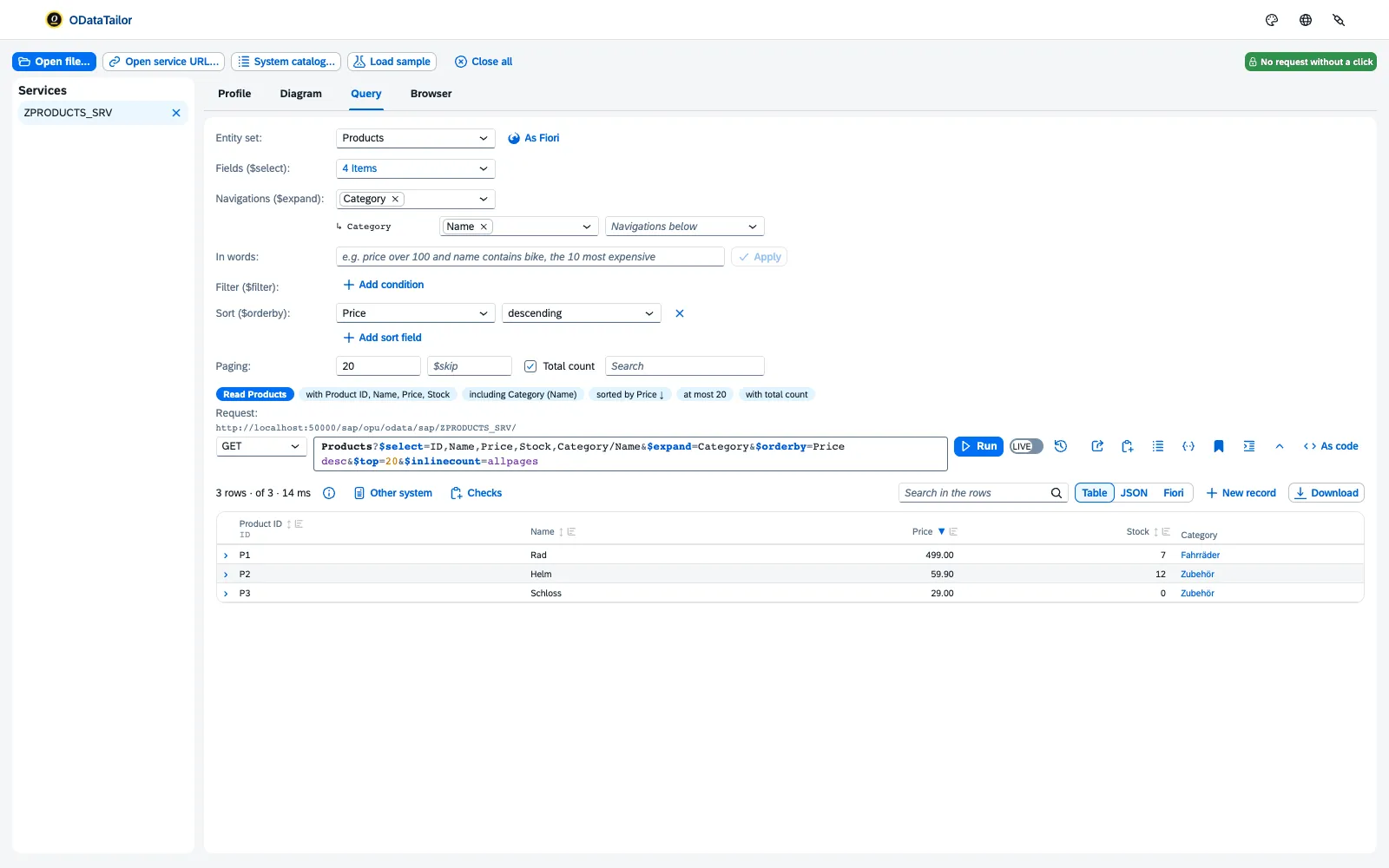
Query as Fiori would
Query as Fiori would builds the request a Fiori elements list would derive from the annotations: the columns from UI.LineItem, the texts from Common.Text, plus units and currencies. The Fiori view then shows the result as a table with filter bar and object page – without an app.
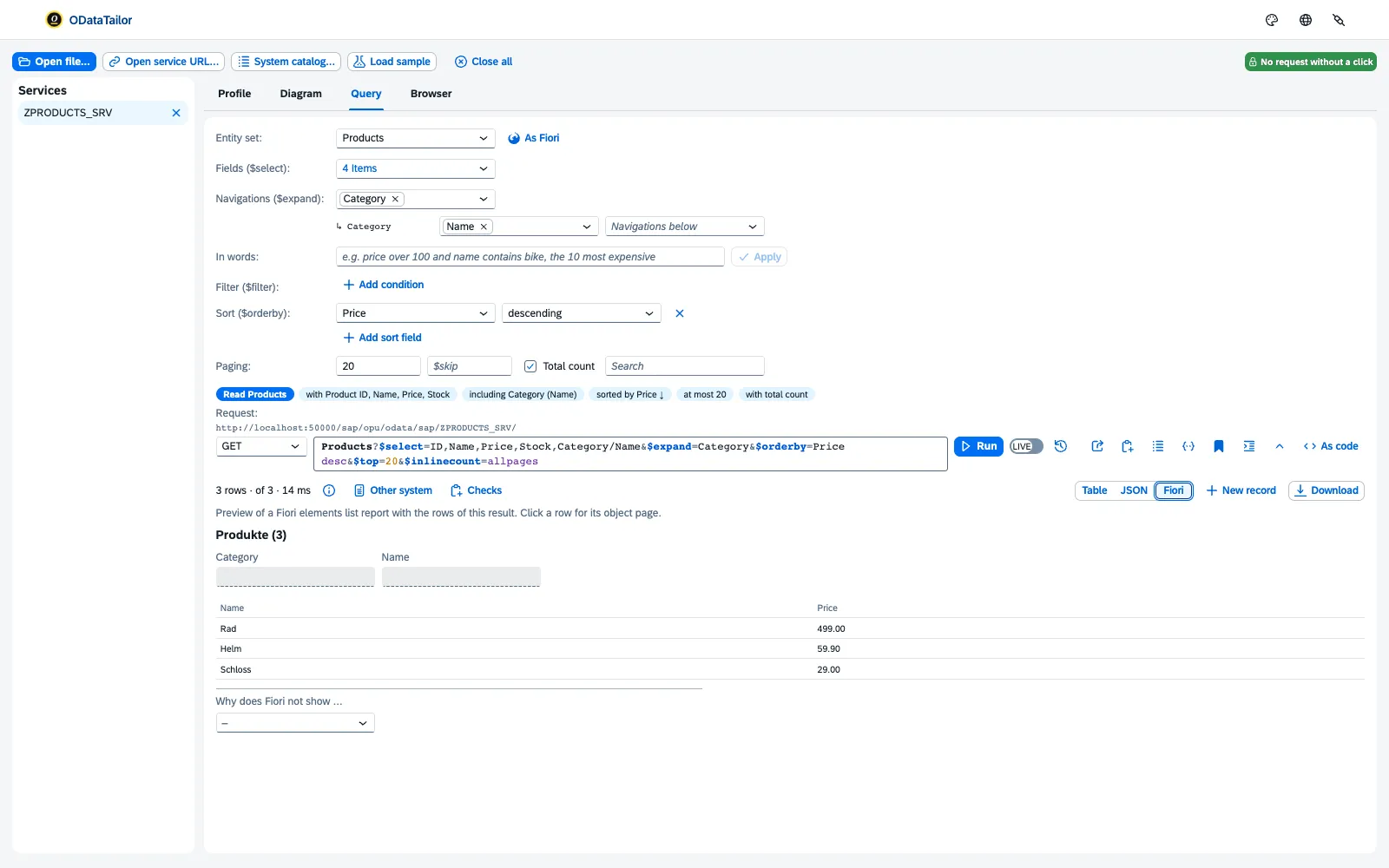
Why does Fiori not show … answers the most common question in a project: for a field, the workbench says whether it is visible in table, filter bar and object page and, if not, why – UI.Hidden set, not among the columns of UI.LineItem, not filterable, not in UI.SelectionFields. And whether users can add it themselves.
In words
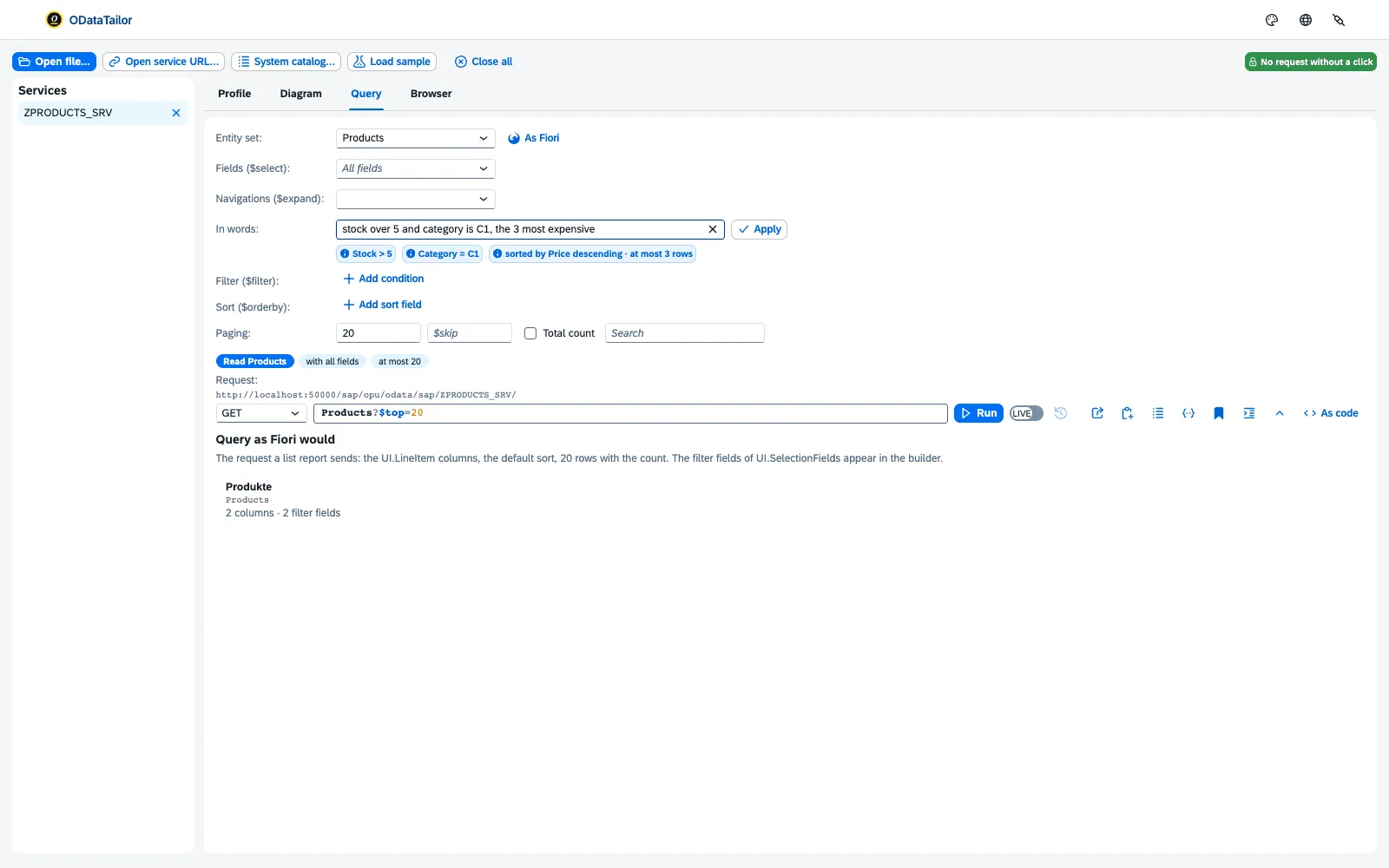
Under In words you write the filter as a sentence: “price over 100 and name contains bike, the 10 most expensive”. Apply turns it into $filter, $orderby and $top. The workbench reads it from field names, labels and types – with fixed rules, without AI and without sending anything. What it does not understand, it names.
As code
As code shows the same request as a UI5 call, for V4 services as a CAP query (cds.ql), as fetch, as cURL or as a URL – to copy into code, the console or a ticket.
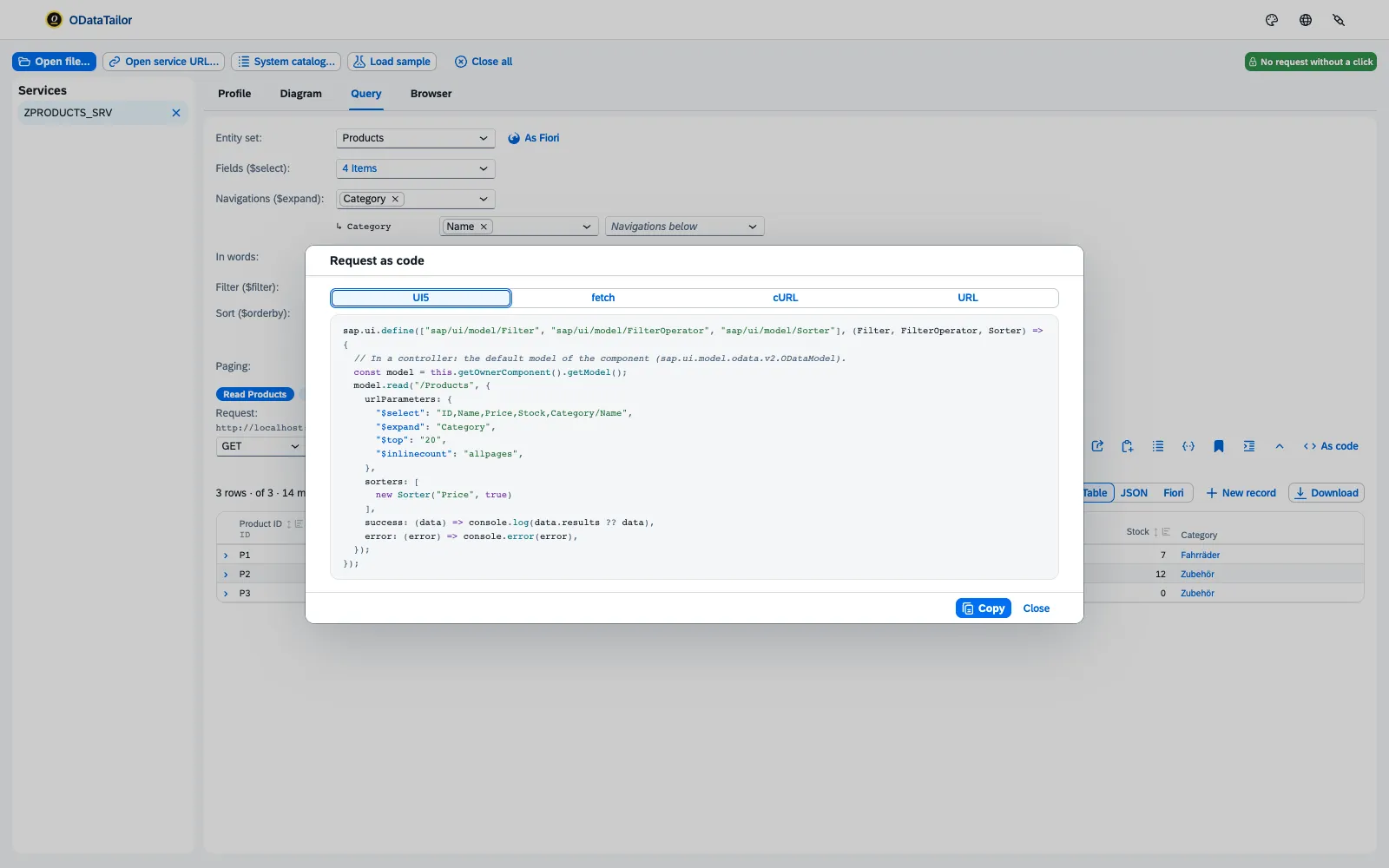
Value help
If a field has a value help (Common.ValueList), it opens in the filter as it does in the app: search values, pick one, done. The workbench queries the value help service the annotation names.
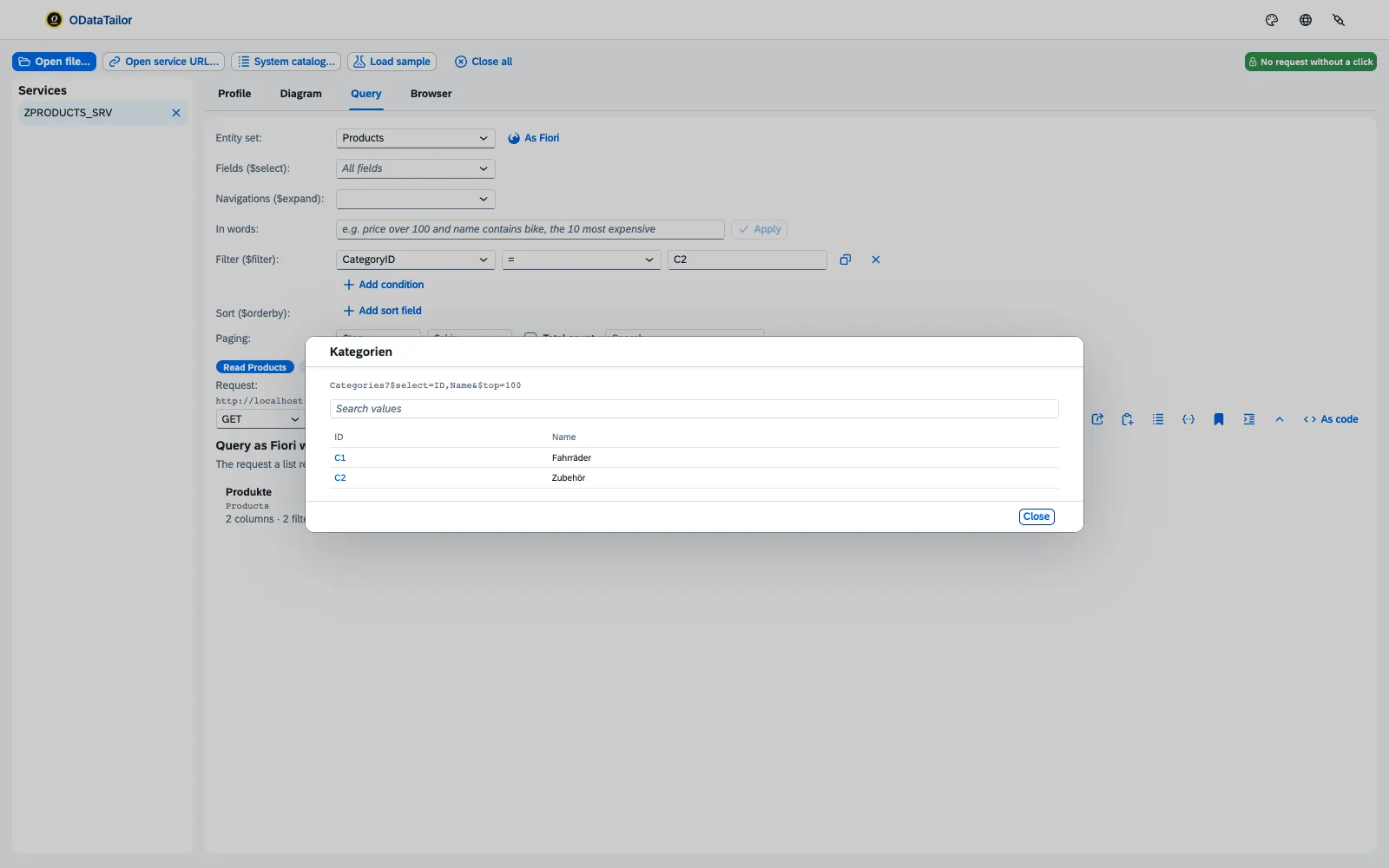
More from the result
- Mock data turns the result into test data for the UI5 MockServer (JSON) or for CAP (CSV). With Anonymise texts, names and texts are replaced while keys and numbers stay.
- Call an action or function lists the operations the metadata offers for this path. Take into the editor inserts the call with its parameters; you send actions like any changing request – see Changing, draft and $batch.
- Recent requests brings back earlier queries; to keep them, use collections.
See also
- Features at a glance Features · Query
- Further reading SAP Fiori Elements – Development and Extensibility (SAP PRESS)
- Further reading SAPUI5 – The Comprehensive Guide (SAP PRESS)
- Docs Diagram and profile
- Docs Changing, draft and $batch
- Docs Collections, comparisons, errors
- Sources Query1 · As Fiori2 · In words3 · As code4 · Value help5