ODataTailor documentation
How to install ODataTailor and open, understand, query and check an OData service – with screenshots of the real extension, the exact labels of the workbench and made-up data. Search the whole docs at the top left; the / key jumps to the search field.
ODataTailor is a free browser extension for OData V2 and V4 services. It runs entirely in your browser and calls your systems with your browser’s own sign-in: no server, no account, no telemetry.
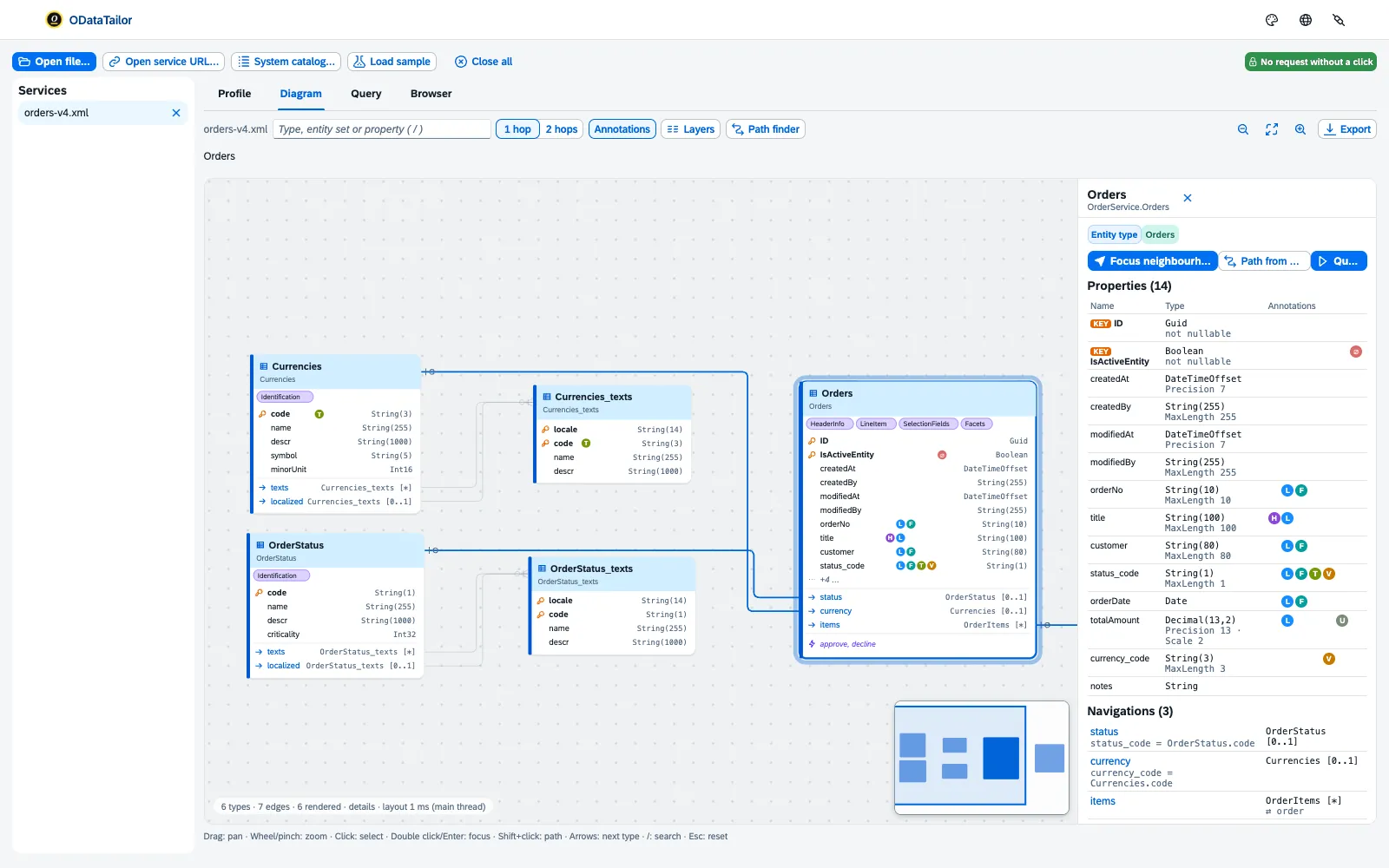
The workbench has the list of opened Services on the left and four tabs on the right:
- Profile and Diagram – understand the service, see Diagram and profile.
- Browser – search everything the metadata contains.
- Query – read, change and check, see Querying, Changing, draft and $batch and Collections, comparisons, errors.
On top comes the ODataTailor DevTools panel for capture, see Capture. Labels are written in the docs exactly as the workbench shows them. The screenshots show the real extension against a mock SAP Gateway on the local machine, with made-up products, categories and orders. Click to enlarge.
Getting started
The workbench
- Opening a serviceBy URL, from the system catalogue or as a file – and which systems ODataTailor may reach.
- Diagram and profileRead the service as a diagram, understand annotations, find the path for $expand.
- QueryingBuild requests without knowing the syntax by heart – and see what Fiori makes of them.
- Changing, draft and $batchChange data with preview, checks and PROD lock – also as a draft and in a $batch.
- Collections, comparisons, errorsSave and check requests, compare systems and metadata, understand errors and run times.
- CaptureCapture a web app’s OData calls, play them back in the workbench and make them better.
Help
See also
- Features at a glance Features · All areas
- Help from people Ask CloudDNA
- Docs Getting started
- Docs Troubleshooting
- Sources Free1 · No server2 · Made-up data3