Changing, draft and $batch
Changing data is the part where something can break. So ODataTailor sends nothing that changes data without a preview and a click – and to a production system nothing that changes data at all.
- Methods
- POST, PUT, PATCH, MERGE, DELETE
- Check
- body against the metadata, before sending
- Protection
- confirmation, PROD lock in the background, fail-closed
- $batch
- multipart (V2 and V4), JSON batch (V4.01)
Send a changing request
- In the Query tab, switch the Method – or choose Edit in a result row; then path and key are already set.
- Template from metadata fills the Body (JSON) with every field of the type and fitting sample values. Under Deep insert you include navigations.
- While you type, the workbench checks the body: unknown fields, wrong types, too long, required field missing, key changed. Each error comes with a suggestion.
- Load ETag fetches the current ETag into If-Match (ETag). More headers takes headers of your own.
- Send… shows the request once more with host and method. Only Send now sends it.
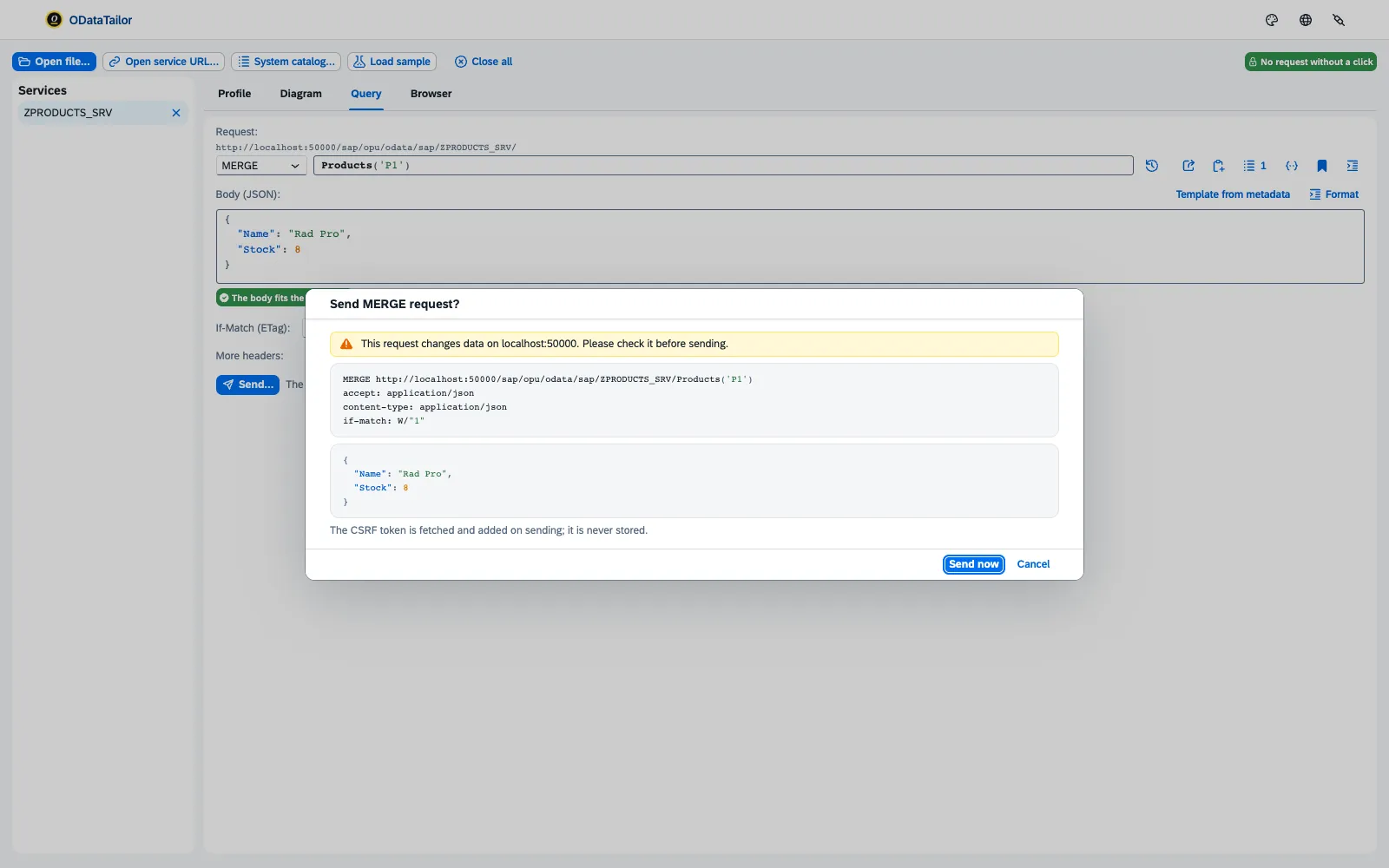
ODataTailor fetches the CSRF token itself when sending and adds it; it is never stored. The response shows status, duration, body and headers – sent and received. Read the record then opens the changed record in the query.
The PROD lock
Changing requests are never sent by the workbench itself but by the extension’s background. Before each send it checks whether the target is a production system – via the Production switch in the “Systems” dialog or from the company policy. If it is, or if that cannot be determined, it sends nothing: “Blocked: … is a production system. Nothing was sent.”
Working with drafts
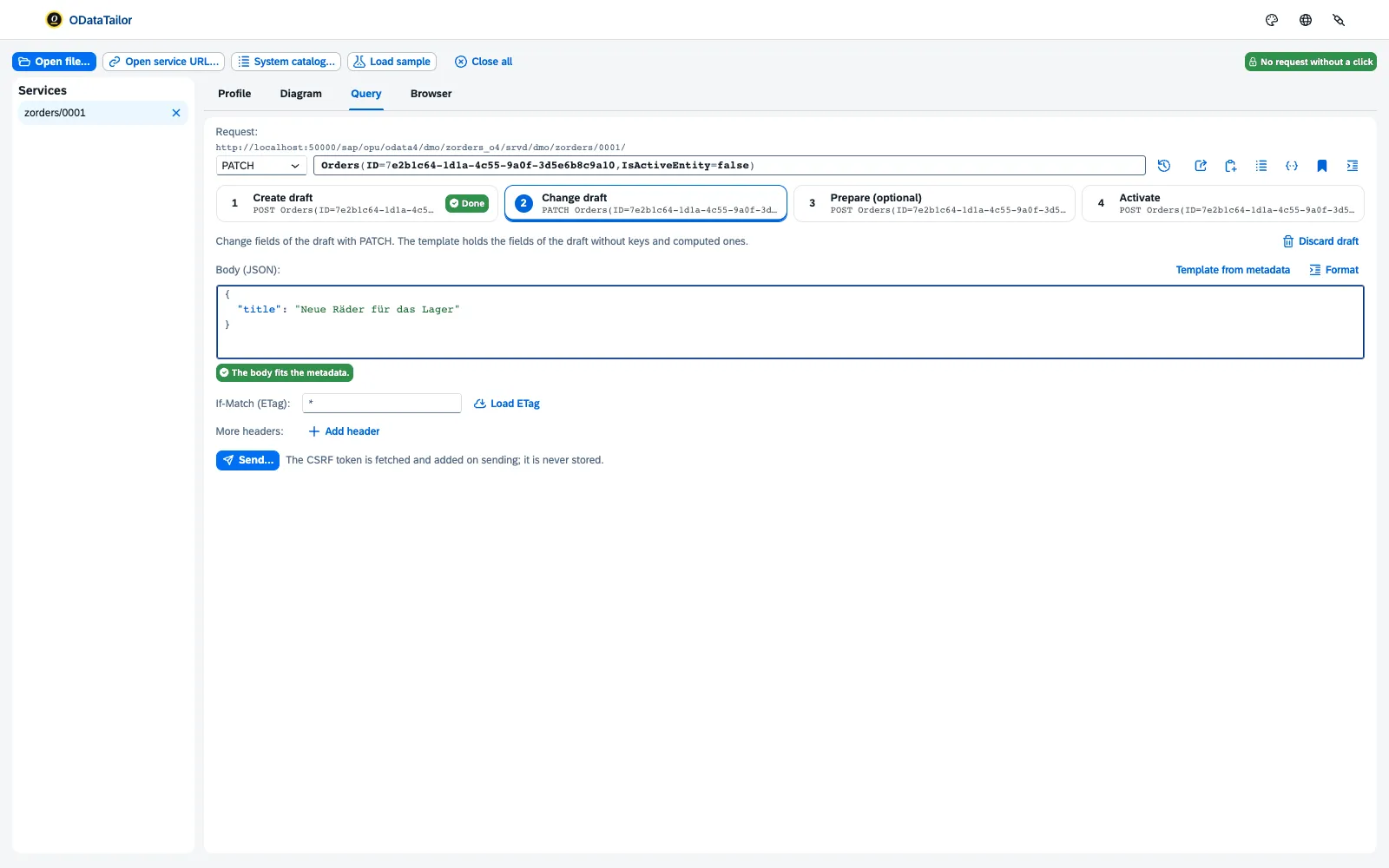
RAP and CAP services with draft do not change data directly but through a draft. ODataTailor walks through the steps Fiori takes too:
- Choose Edit as draft in the result row.
- Create draft – the service creates the draft and locks the active record.
- Change draft – set fields of the draft with PATCH.
- Prepare (optional) – the service’s checks run without activating.
- Activate – the draft becomes the active record. Or Discard draft: the active record stays as it was.
Drafts and locks reads all drafts of an entity set with who holds them: who locked which record, since when, and which drafts have lost their lock. That settles “Who is holding my record?” without going to the backend.
$batch composer
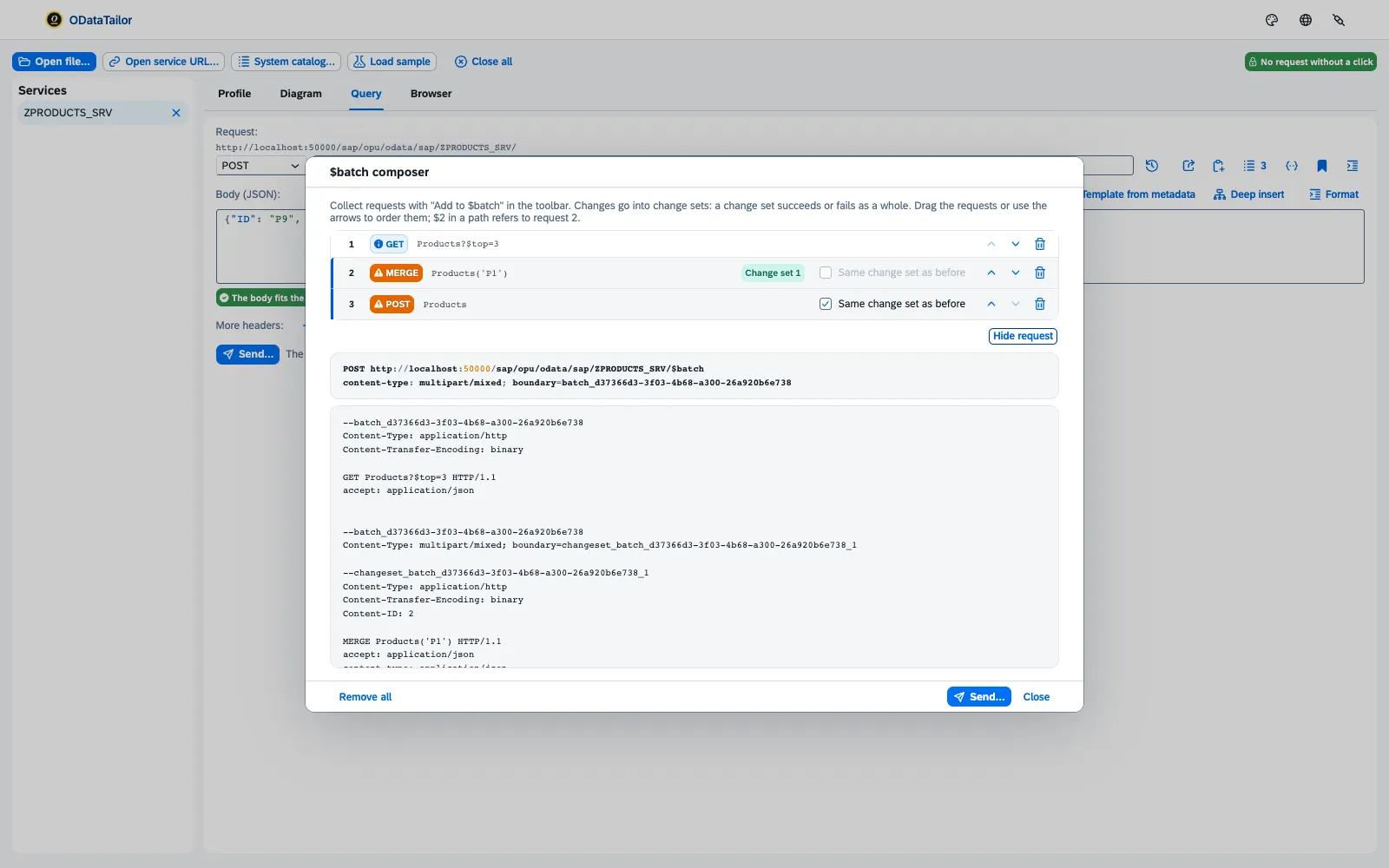
- Prepare a request and choose Add to $batch. Reading and changing requests can be mixed.
- Set the order in the $batch composer. Same change set as before groups changing requests into a change set that applies in full or not at all.
- With
$and the Content-ID, a request refers to the result of an earlier one – a header just created, say. - Choose the Format: Multipart (V2 and V4) or JSON batch (V4.01). Show request shows the finished body; Send… and Send now send it.
The answer is listed per part with its status. “Worst part” shows at a glance whether something went wrong; if a change set fails, it says so as a whole.
See also
- Features at a glance Features · Change
- Security Security and permissions
- Docs Querying
- Docs Collections, comparisons, errors
- Docs Permissions and privacy
- Sources Changing1 · PROD lock2 · Draft3 · $batch4