Getting started
From installation to the first diagram in a few minutes: load the extension, open the workbench from its icon, load a sample – then your own service. No account and no server.
- Browsers
- Chrome and Edge 137 or later, Firefox 140 or later
- Price
- free
- Account
- none needed
- Languages
- English and German
Install
Version 0.1.0 is built; submission to the stores follows. Until then you can get the extension on request as a package and load it yourself.
Chrome and Edge
- Unpack the package.
- Open
chrome://extensions(Edge:edge://extensions) and switch on Developer mode. - Choose Load unpacked and select the unpacked folder.
- Pin ODataTailor via the puzzle icon in the toolbar. Then the yellow icon is always visible.
Firefox
- Open
about:debugging#/runtime/this-firefox. - Choose Load Temporary Add-on… and select the file
manifest.jsonin the package.
Open the workbench
A click on the ODataTailor icon opens the workbench in a tab of its own. The language follows your browser, and so do light and dark.
Start with a sample
- In the empty workbench, choose Load sample.
- Pick Orders (OData V4, CAP) or Products (OData V2, Gateway).
- The service appears on the left under Services, and the Profile opens on the right.
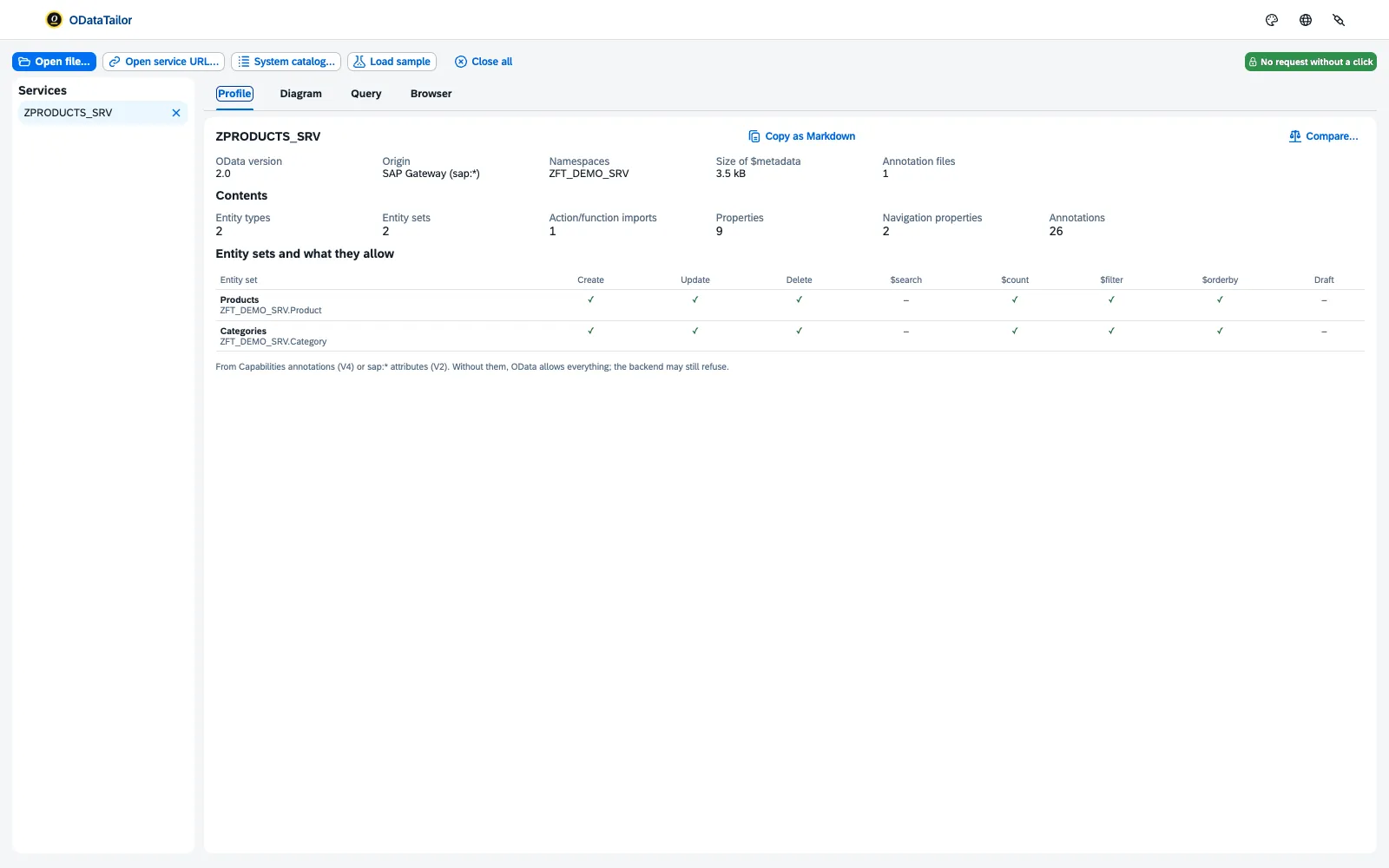
Samples need no system and no network request. They cannot be queried – that takes a real service.
Open your own service
- Be signed in to the system in the same browser, for example through the Fiori app or the launchpad.
- Choose Open service URL… and paste the address of the service or of its
$metadata. - Click Load. The first time, the browser asks for access to this system.
- The service opens with profile, diagram and query.
Other ways in – system catalogue, files, annotations – are shown in Opening a service.
See also
- Features at a glance Features · Open
- Help from people Request an early copy
- Docs Opening a service
- Docs Permissions and privacy
- Sources Browsers1 · Version 0.1.02 · Permissions3