Collections, comparisons, errors
A request that is right today should still be right after the next transport. So you save it, attach checks and run it on several systems – or compare the metadata straight away.
- Storage
- local in the browser, without credentials
- Import
- cURL, Postman collection
- Export
- Postman, VS Code REST Client, Playwright
- Comparison
- rows and $metadata, breaking or compatible
Saved requests
- Build a request and choose Save current request under Saved requests.
- Later, one click loads it back into the editor. It is not sent while doing so.
- Import takes a cURL command or a Postman collection. Export writes the collection as a Postman collection, as
.httpfor the VS Code REST Client or as a Playwright API test.
Variables hold values that differ per system – an order number, a plant. They apply to all systems of the service or only to one. Values such as a new GUID are made up by the workbench per request.
You create Checks from the result: status, number of rows, duration, a field in the first, every or some row. After each run it says “3 of 4 met” – and what was found.
Run on several systems
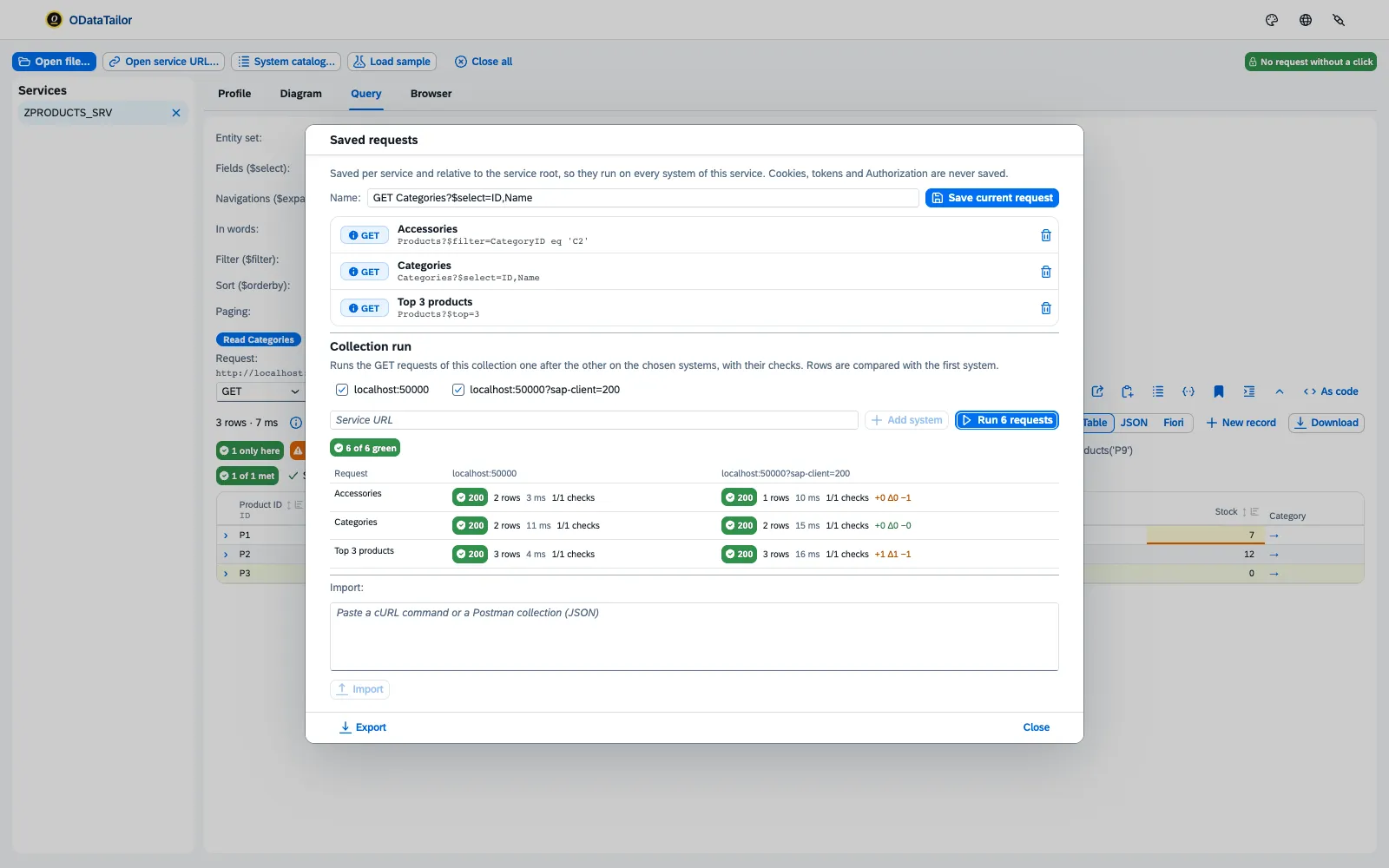
Run on systems… starts a Collection run: all saved requests one after another on DEV, QAS and further systems. For each request and system the table shows rows, checks and the difference to the first system – “+2 Δ1 −0”: two only here, one changed, none missing. Below, it says how many are green. The run only reads.
One request, two systems
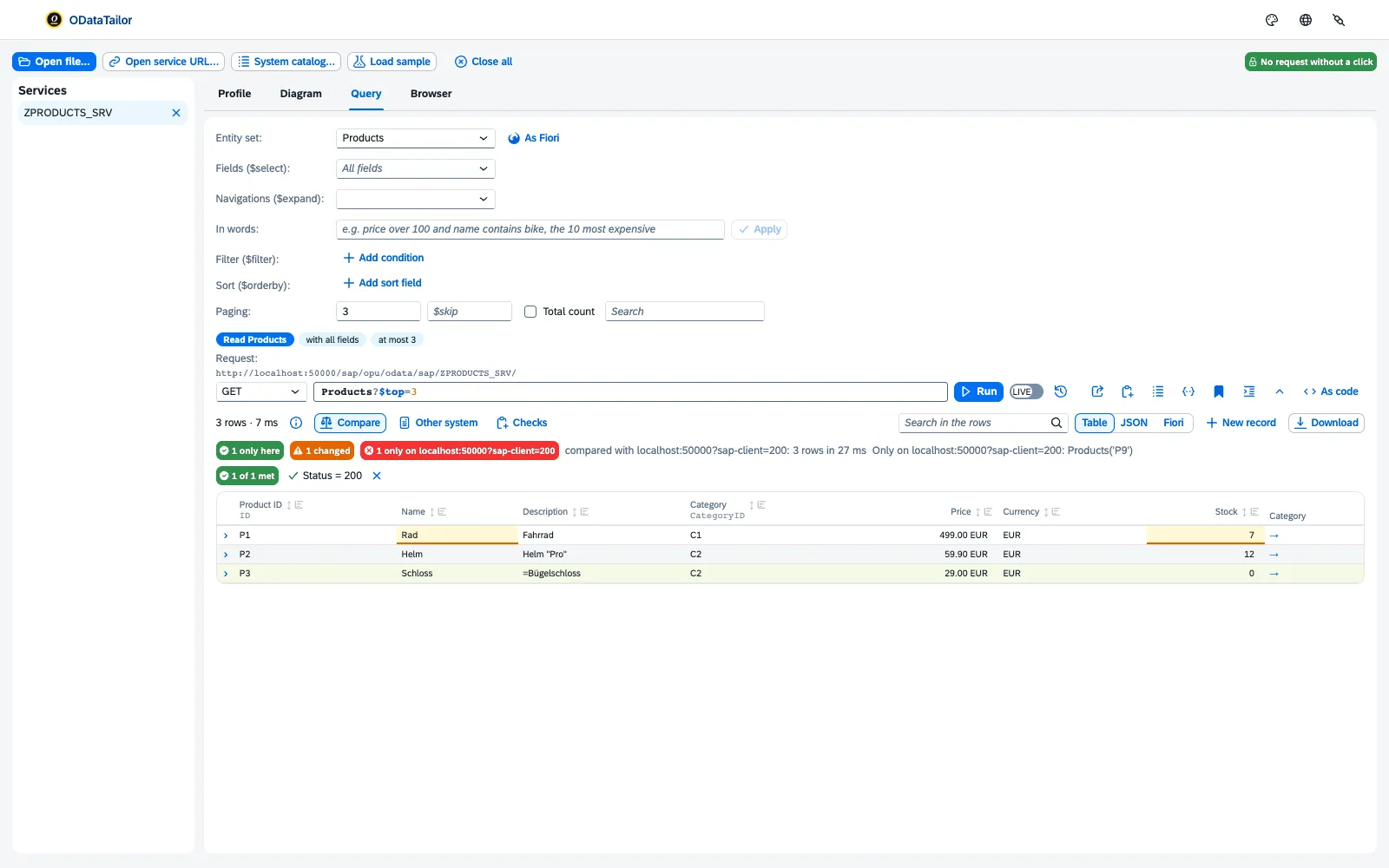
For a single request, Other system is enough: the same service on another system, Compare – and the rows of both systems sit side by side, with new, changed and gone.
$metadata diff
Compare… sets the $metadata of the open service against another version – of the same service on another system or from a file. Each change is rated:
- breaking – clients may fail: entity set or property removed, type or key changed, nullable stricter, MaxLength smaller.
- compatible – something new is added, what exists stays.
- annotation only – the data stays the same, the UI may change.
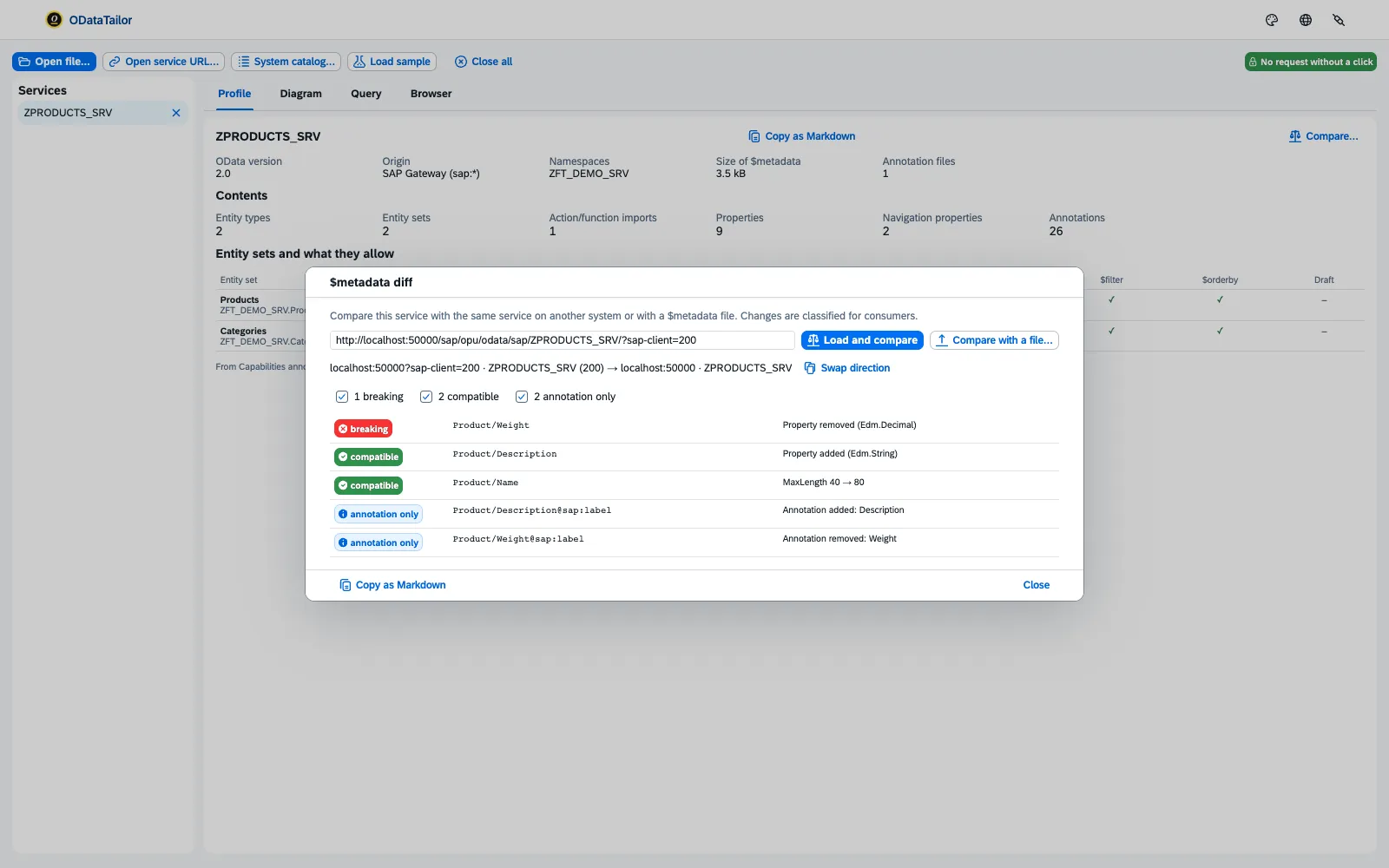
Swap direction turns before and after around; Copy as Markdown puts the report on the clipboard for the transport request or the pull request.
Understanding errors
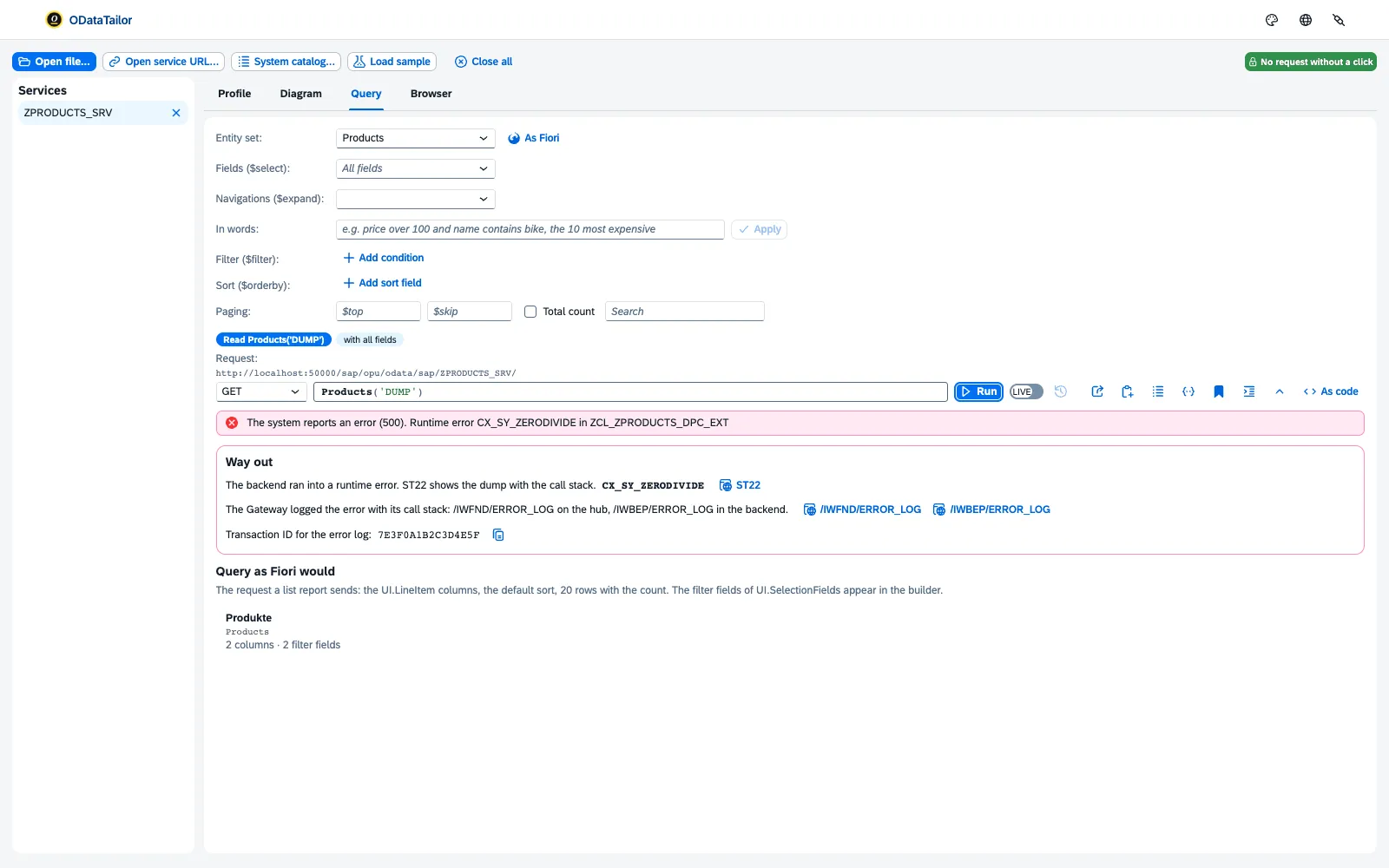
If a request fails, the workbench shows the service’s error message in readable form, not as raw JSON or XML. For SAP Gateway, the Way out follows: what the message means, which transaction helps – the error log, say – and a link that opens it in SAP GUI for HTML on this system. Copy transaction ID takes you straight to the right entry there.
Where the time goes
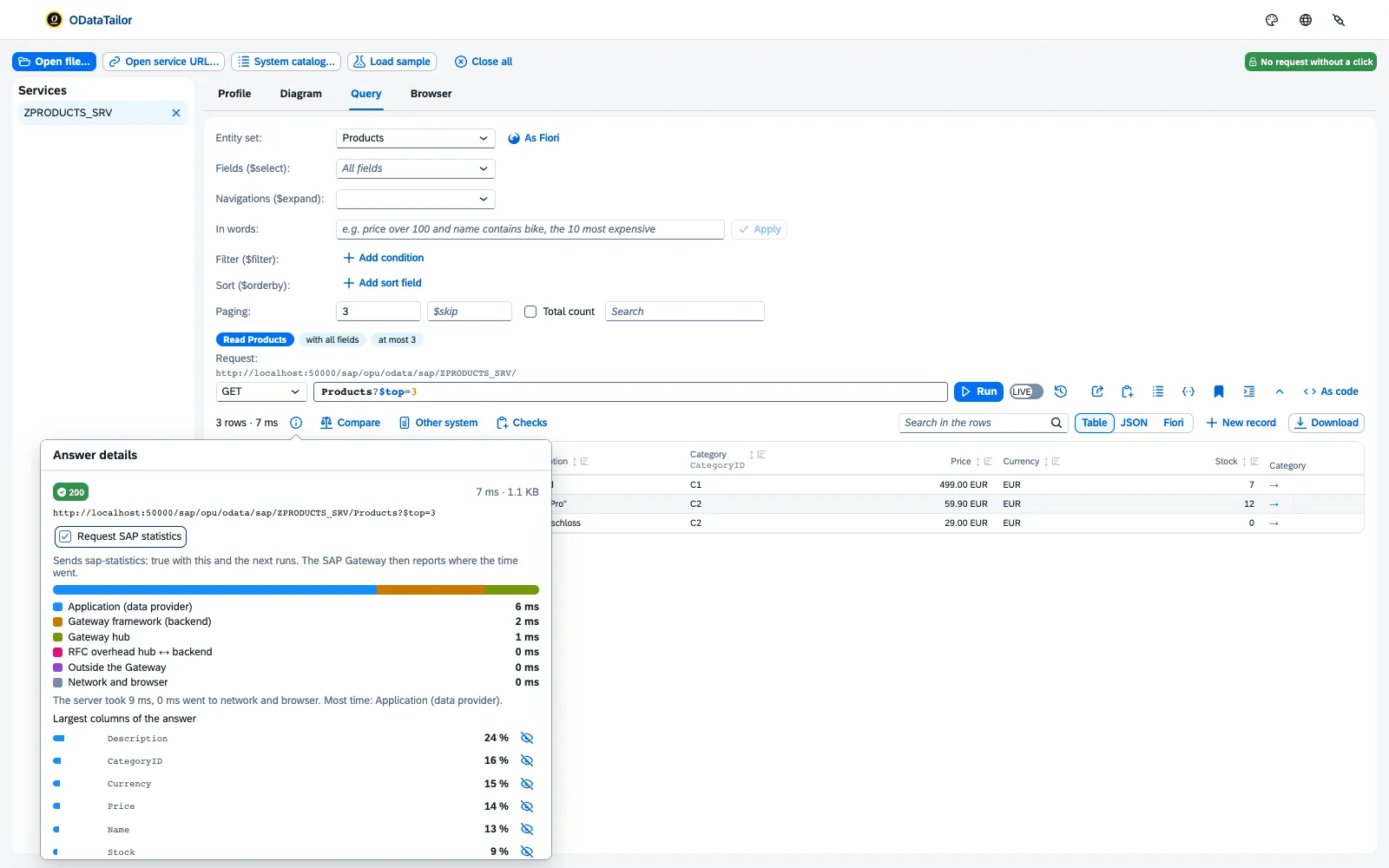
Request SAP statistics asks an SAP system to send its run times along. The workbench then splits the duration: application (data provider), Gateway framework, Gateway hub, RFC between hub and backend, network and browser. Largest columns of the answer names the fields that bring the most data – with “Leave … out ($select)” as a shortcut.
See also
- Features at a glance Features · Check
- Docs Querying
- Docs Changing, draft and $batch
- Docs Troubleshooting
- Sources Collections1 · System comparison2 · $metadata diff3 · Errors4 · SAP statistics5