Opening a service
Four ways lead to a service: the URL, the system catalogue, a file or a sample. Every open service is listed on the left; the workbench keeps the list for next time.
- Versions
- OData V2 and V4, $metadata as EDMX or CSDL JSON
- Sign-in
- the browser’s – cookies, SSO, certificate
- Access
- per system, on click, revocable
- Catalogue
- Gateway catalogue V2 and V4
By service URL
- Choose Open service URL….
- Paste the address into Service URL or $metadata URL, for example
https://my-system/sap/opu/odata/sap/ZUI_ORDERS_SRV/. - Click Load. The first time, the browser asks whether ODataTailor may access this system.
ODataTailor uses the sign-in your browser already has: session cookies, single sign-on or a client certificate. It stores none of it.
When loading fails
The workbench says what is wrong instead of only showing a status code:
- 404 – “There is no service at this address”. For SAP Gateway, ODataTailor reads the error message and names the cause: service not active on the Gateway hub (
/IWFND/MAINT_SERVICE), no system alias, ICF node inactive (SICF). - 403 – access denied, or the system asks for a CSRF token.
- “The answer is not $metadata” – usually a sign-in page instead of the metadata.
From the system catalogue
- Choose System catalog….
- Enter the system address or any URL on the system and click Load catalog.
- Filter by name or description in Search services and open the service. The star marks favourites; “Recently opened” shows what you have already opened from this catalogue.
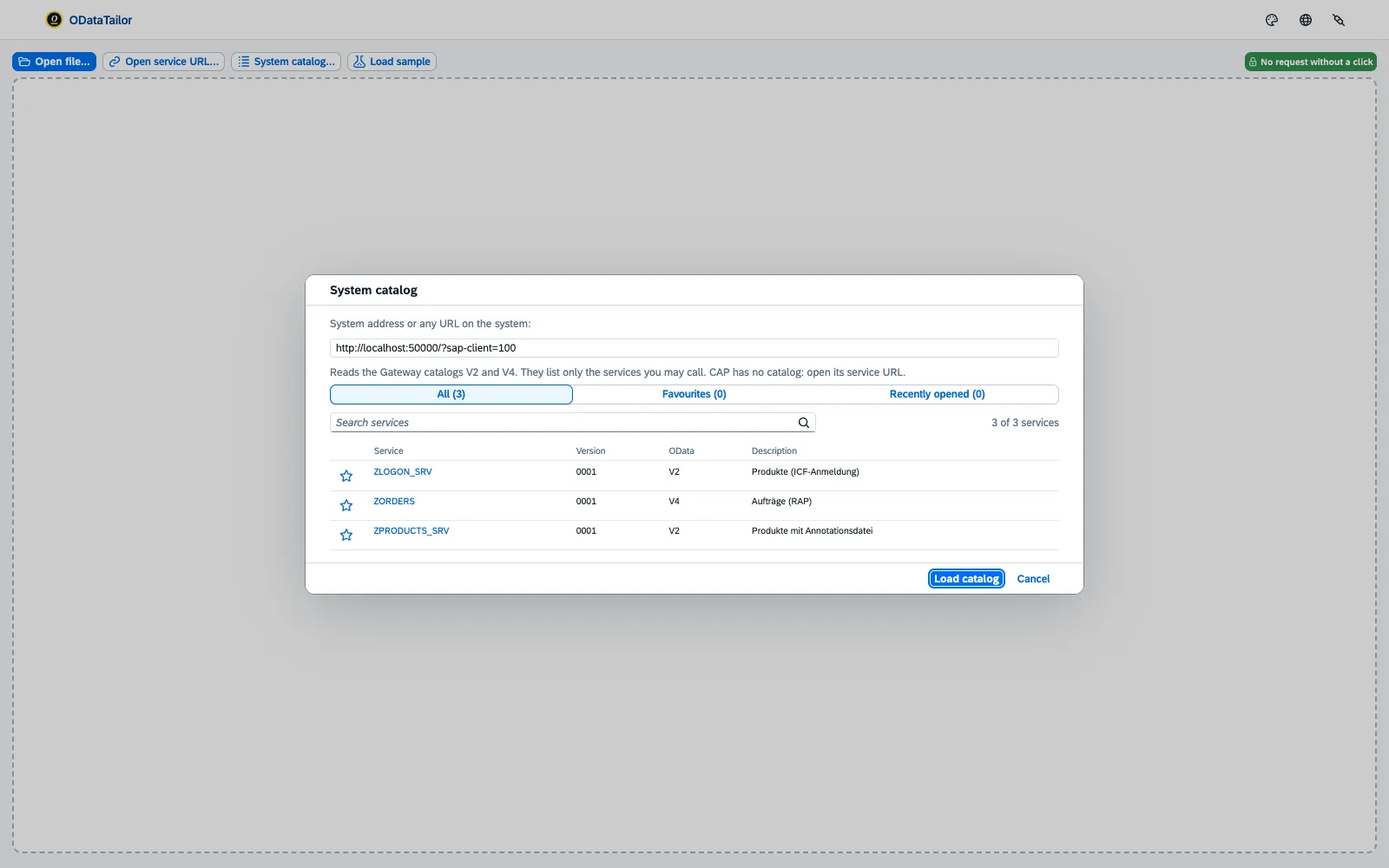
ODataTailor reads the Gateway’s catalogue service for V2 and V4. If a system has no catalogue, the list says so.
As a file
Open file… takes a $metadata as EDMX (XML) or CSDL JSON. You can also simply drop files onto the workbench. That way you check a service without reaching the system – from a ticket or a Git repository, say.
ODataTailor adds annotation files – such as a Fiori app’s annotations.xml – to all open services. Diagram, profile and “As Fiori” then take them into account.
Systems and access
On installation ODataTailor has access to no system at all. It asks for access per system when you open a service there. Systems shows every system with access and the number of open services.
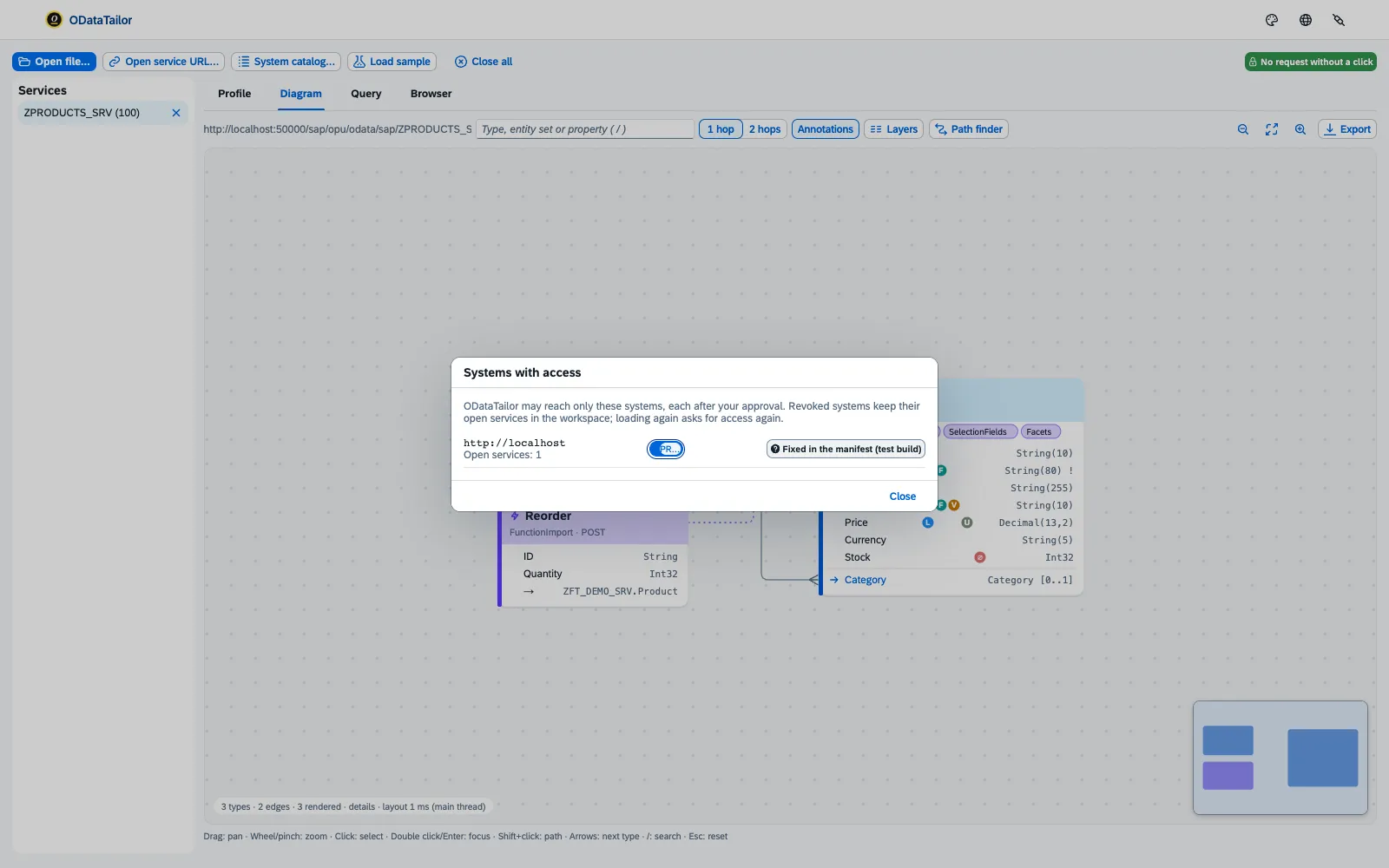
- Revoke takes ODataTailor’s access away at once. The next time you open a service there, the browser asks again.
- Production locks the system for anything that changes data: ODataTailor then sends only reads there. If a system is listed in the company policy, the switch reads “Production (company policy)” and cannot be turned off.
How IT rolls out the prodHosts policy is described under Policy for production systems.
See also
- Features at a glance Features · Open
- Security Security and permissions
- Docs Diagram and profile
- Docs Permissions and privacy
- Docs Troubleshooting
- Sources Opening1 · Permissions2 · PROD lock3